Bluetooth Low Energy (BLE) là công nghệ cốt lõi trong các thiết bị theo dõi sức khỏe, nhà thông minh, thiết bị y tế và nhiều sản phẩm IoT khác. Khi xây dựng ứng dụng có BLE, bạn thường phải lựa chọn giữa: iOS thuần (native), Flutter hoặc React Native.
Thay vì phụ thuộc vào các thư viện BLE bên thứ ba cho Flutter hay React Native, cách tiếp cận tôi khuyến nghị — và thực tế áp dụng — là viết toàn bộ logic BLE bằng Swift thuần với CoreBluetooth, sau đó expose nó ra cho từng framework cross-platform thông qua cơ chế bridge của chúng. Với React Native, đó là Native Modules. Với Flutter, đó là Platform Channels.
Cách này giúp bạn kiểm soát hoàn toàn BLE stack, đảm bảo hành vi nhất quán trong mọi dự án, và không phụ thuộc vào các package BLE bên ngoài vốn hay bị tụt hậu so với các bản cập nhật iOS SDK.
Bài viết này tập trung vào phía iOS (CoreBluetooth). Để xem so sánh BLE trên Android và iOS, hãy xem Best practice: iOS vs Android Bluetooth .
Kiến trúc tổng thể Ý tưởng rất đơn giản: giữ CoreBluetooth là nguồn xử lý BLE duy nhất, còn React Native / Flutter chỉ đóng vai trò lớp UI giao tiếp với nó.
1
2
3
4
5
6
7
8
┌──────────────────────────────┐ │ Flutter / React Native (UI) │ └────────────┬─────────────────┘ │ Platform Channel / Native Module ┌────────────▼─────────────────┐ │ Native BLE Layer (Swift) │ │ CoreBluetooth │ └──────────────────────────────┘
Lớp native xử lý việc scan, kết nối, discover services, đọc và ghi characteristic. Lớp cross-platform chỉ cần gọi một method hoặc lắng nghe event stream.
1. Lớp BLE Native (CoreBluetooth) Đây là phần code được dùng chung và tái sử dụng trên tất cả các nền tảng. Một class BLEManager gọn gàng đóng gói toàn bộ logic CoreBluetooth.
Cài đặt & Quyền truy cập Thêm vào Info.plist:
1 2 <key > NSBluetoothAlwaysUsageDescription</key > <string > This app uses Bluetooth to connect to your device.</string >
Để scan trong background, thêm vào Info.plist và bật capability trong Xcode:
1 2 3 4 <key > UIBackgroundModes</key > <array > <string > bluetooth-central</string > </array >
BLEManager 1 2 3 4 5 6 7 8 9 10 11 12 13 14 15 16 17 18 19 20 21 22 23 24 25 26 27 28 29 30 31 32 33 34 35 36 37 38 39 40 41 42 43 44 45 46 47 48 49 50 51 52 53 54 55 56 57 58 59 60 61 62 import CoreBluetoothprotocol BLEManagerDelegate : AnyObject func didUpdateState (_ state: CBManagerState) func didDiscoverDevice (name: String, uuid: String, rssi: Int) func didConnect (uuid: String) func didDisconnect (uuid: String, error: Error?) func didReceiveData (_ data: Data, characteristicUUID: String) } class BLEManager : NSObject static let shared = BLEManager () weak var delegate: BLEManagerDelegate? private var centralManager: CBCentralManager! private var connectedPeripheral: CBPeripheral? private var characteristics: [String : CBCharacteristic ] = [:] private override init () { super .init () centralManager = CBCentralManager ( delegate: self , queue: nil , options: [CBCentralManagerOptionRestoreIdentifierKey : "app.ble.central" ] ) } func startScan (serviceUUIDs: [String]? = nil ) guard centralManager.state == .poweredOn else { return } let uuids = serviceUUIDs?.map { CBUUID (string: $0 ) } centralManager.scanForPeripherals( withServices: uuids, options: [CBCentralManagerScanOptionAllowDuplicatesKey : false ] ) } func stopScan () centralManager.stopScan() } func connect (uuid: String) guard let peripheral = retrievePeripheral(uuid: uuid) else { return } centralManager.connect(peripheral, options: nil ) } func disconnect () guard let peripheral = connectedPeripheral else { return } centralManager.cancelPeripheralConnection(peripheral) } func write (data: Data, characteristicUUID: String, withResponse: Bool) guard let characteristic = characteristics[characteristicUUID.uppercased()], let peripheral = connectedPeripheral else { return } let type: CBCharacteristicWriteType = withResponse ? .withResponse : .withoutResponse peripheral.writeValue(data, for : characteristic, type: type) } private func retrievePeripheral (uuid: String) CBPeripheral? { let knownUUIDs = [UUID (uuidString: uuid)].compactMap { $0 } return centralManager.retrievePeripherals(withIdentifiers: knownUUIDs).first } }
CBCentralManagerDelegate 1 2 3 4 5 6 7 8 9 10 11 12 13 14 15 16 17 18 19 20 21 22 23 24 25 26 27 28 29 30 31 32 33 34 35 36 37 38 39 40 41 extension BLEManager : CBCentralManagerDelegate func centralManagerDidUpdateState (_ central: CBCentralManager) delegate?.didUpdateState(central.state) } func centralManager (_ central: CBCentralManager, didDiscover peripheral: CBPeripheral, advertisementData: [String: Any ], rssi RSSI: NSNumber) delegate?.didDiscoverDevice( name: peripheral.name ?? "Unknown" , uuid: peripheral.identifier.uuidString, rssi: RSSI .intValue ) } func centralManager (_ central: CBCentralManager, didConnect peripheral: CBPeripheral) connectedPeripheral = peripheral peripheral.delegate = self peripheral.discoverServices(nil ) delegate?.didConnect(uuid: peripheral.identifier.uuidString) } func centralManager (_ central: CBCentralManager, didDisconnectPeripheral peripheral: CBPeripheral, error: Error?) connectedPeripheral = nil characteristics.removeAll() delegate?.didDisconnect(uuid: peripheral.identifier.uuidString, error: error) } func centralManager (_ central: CBCentralManager, willRestoreState dict: [String: Any ]) if let peripherals = dict[CBCentralManagerRestoredStatePeripheralsKey ] as ? [CBPeripheral ] { connectedPeripheral = peripherals.first connectedPeripheral?.delegate = self } } }
CBPeripheralDelegate 1 2 3 4 5 6 7 8 9 10 11 12 13 14 15 16 17 18 19 20 21 22 23 24 25 26 27 28 29 30 31 32 33 34 extension BLEManager : CBPeripheralDelegate func peripheral (_ peripheral: CBPeripheral, didDiscoverServices error: Error?) guard let services = peripheral.services else { return } for service in services { peripheral.discoverCharacteristics(nil , for : service) } } func peripheral (_ peripheral: CBPeripheral, didDiscoverCharacteristicsFor service: CBService, error: Error?) guard let chars = service.characteristics else { return } for characteristic in chars { characteristics[characteristic.uuid.uuidString.uppercased()] = characteristic if characteristic.properties.contains (.notify) || characteristic.properties.contains (.indicate) { peripheral.setNotifyValue(true , for : characteristic) } } } func peripheral (_ peripheral: CBPeripheral, didUpdateValueFor characteristic: CBCharacteristic, error: Error?) guard let data = characteristic.value else { return } delegate?.didReceiveData(data, characteristicUUID: characteristic.uuid.uuidString) } func peripheralIsReady (toSendWriteWithoutResponse peripheral: CBPeripheral) } }
BLEManager này là nền tảng chung. Bây giờ hãy expose nó ra từng nền tảng.
2. Bridge sang React Native React Native giao tiếp với code native qua Native Modules . Bạn tạo một class Swift:
Kế thừa RCTEventEmitter để đẩy event (kết quả scan, dữ liệu) lên JavaScript.
Expose các method qua @objc và một file bridge Objective-C .m.
BLEModule.swift 1 2 3 4 5 6 7 8 9 10 11 12 13 14 15 16 17 18 19 20 21 22 23 24 25 26 27 28 29 30 31 32 33 34 35 36 37 38 39 40 41 42 43 44 45 46 47 48 49 50 51 52 53 54 55 56 57 58 59 60 61 62 63 64 65 66 67 68 import Foundation@objc (BLEModule )class BLEModule : RCTEventEmitter , BLEManagerDelegate override init () { super .init () BLEManager .shared.delegate = self } override static func requiresMainQueueSetup () Bool { true } override func supportedEvents () String ]! { return ["onStateChange" , "onDeviceFound" , "onConnect" , "onDisconnect" , "onDataReceived" ] } @objc func startScan (_ serviceUUIDs: [String]?) BLEManager .shared.startScan(serviceUUIDs: serviceUUIDs) } @objc func stopScan () BLEManager .shared.stopScan() } @objc func connect (_ uuid: String) BLEManager .shared.connect(uuid: uuid) } @objc func disconnect () BLEManager .shared.disconnect() } @objc func writeData (_ base64: String, characteristicUUID: String, withResponse: Bool) guard let data = Data (base64Encoded: base64) else { return } BLEManager .shared.write(data: data, characteristicUUID: characteristicUUID, withResponse: withResponse) } func didUpdateState (_ state: CBManagerState) sendEvent(withName: "onStateChange" , body: ["state" : state.rawValue]) } func didDiscoverDevice (name: String, uuid: String, rssi: Int) sendEvent(withName: "onDeviceFound" , body: ["name" : name, "uuid" : uuid, "rssi" : rssi]) } func didConnect (uuid: String) sendEvent(withName: "onConnect" , body: ["uuid" : uuid]) } func didDisconnect (uuid: String, error: Error?) sendEvent(withName: "onDisconnect" , body: ["uuid" : uuid, "error" : error?.localizedDescription as Any ]) } func didReceiveData (_ data: Data, characteristicUUID: String) sendEvent(withName: "onDataReceived" , body: ["uuid" : characteristicUUID, "value" : data.base64EncodedString()]) } }
BLEModule.m (bridge Objective-C) 1 2 3 4 5 6 7 8 9 10 11 12 #import <React/RCTBridgeModule.h> #import <React/RCTEventEmitter.h> @interface RCT_EXTERN_MODULE (BLEModule , RCTEventEmitter )RCT_EXTERN_METHOD(startScan:(NSArray *)serviceUUIDs) RCT_EXTERN_METHOD(stopScan) RCT_EXTERN_METHOD(connect:(NSString *)uuid) RCT_EXTERN_METHOD(disconnect) RCT_EXTERN_METHOD(writeData:(NSString *)base64 characteristicUUID:(NSString *)characteristicUUID withResponse:(BOOL )withResponse) @end
Sử dụng trong JavaScript / TypeScript 1 2 3 4 5 6 7 8 9 10 11 12 13 14 15 16 17 18 19 import { NativeModules, NativeEventEmitter } from 'react-native' ;const { BLEModule } = NativeModules;const bleEmitter = new NativeEventEmitter(BLEModule);bleEmitter.addListener('onDeviceFound' , (device ) => { console .log(`Found: ${device.name} (${device.uuid} ) RSSI: ${device.rssi} ` ); }); bleEmitter.addListener('onDataReceived' , ({ uuid, value } ) => { const bytes = Uint8Array .from(atob(value), c =>0 )); console .log('Received from' , uuid, bytes); }); BLEModule.startScan(['YOUR-SERVICE-UUID' ]); BLEModule.connect('PERIPHERAL-UUID' ); BLEModule.writeData(btoa(String .fromCharCode(0x01 , 0x02 )), 'CHAR-UUID' , true );
3. Bridge sang Flutter Flutter giao tiếp với native code qua Platform Channels . Có hai loại channel liên quan đến BLE:
MethodChannel: để gọi native method từ Dart (scan, connect, write).EventChannel: để stream event từ native về Dart (kết quả scan, dữ liệu nhận được).
AppDelegate.swift — Đăng ký Channel 1 2 3 4 5 6 7 8 9 10 11 12 13 14 15 16 17 18 19 20 21 22 23 24 25 26 27 28 29 30 31 32 33 34 35 36 37 38 39 40 41 42 43 44 45 46 47 48 49 50 51 52 53 54 55 56 57 58 59 60 61 62 63 64 65 66 67 68 69 import Flutter@main class AppDelegate : FlutterAppDelegate private let methodChannelName = "app.ble/methods" private let eventChannelName = "app.ble/events" override func application ( _ application: UIApplication, didFinishLaunchingWithOptions launchOptions: [UIApplication.LaunchOptionsKey: Any ]? ) Bool { let controller = window?.rootViewController as ! FlutterViewController let messenger = controller.binaryMessenger let methodChannel = FlutterMethodChannel (name: methodChannelName, binaryMessenger: messenger) methodChannel.setMethodCallHandler(handleMethodCall) let eventChannel = FlutterEventChannel (name: eventChannelName, binaryMessenger: messenger) eventChannel.setStreamHandler(BLEEventHandler .shared) BLEManager .shared.delegate = BLEEventHandler .shared return super .application(application, didFinishLaunchingWithOptions: launchOptions) } private func handleMethodCall (_ call: FlutterMethodCall, result: @escaping FlutterResult) switch call.method { case "startScan" : let args = call.arguments as ? [String : Any ] let uuids = args?["serviceUUIDs" ] as ? [String ] BLEManager .shared.startScan(serviceUUIDs: uuids) result(nil ) case "stopScan" : BLEManager .shared.stopScan() result(nil ) case "connect" : if let uuid = (call.arguments as ? [String : Any ])?["uuid" ] as ? String { BLEManager .shared.connect(uuid: uuid) } result(nil ) case "disconnect" : BLEManager .shared.disconnect() result(nil ) case "writeData" : if let args = call.arguments as ? [String : Any ], let base64 = args["value" ] as ? String , let data = Data (base64Encoded: base64), let charUUID = args["characteristicUUID" ] as ? String , let withResponse = args["withResponse" ] as ? Bool { BLEManager .shared.write(data: data, characteristicUUID: charUUID, withResponse: withResponse) } result(nil ) default : result(FlutterMethodNotImplemented ) } } }
BLEEventHandler.swift — Stream Handler cho EventChannel 1 2 3 4 5 6 7 8 9 10 11 12 13 14 15 16 17 18 19 20 21 22 23 24 25 26 27 28 29 30 31 32 33 34 35 36 37 38 39 40 41 42 43 44 45 46 import Flutterclass BLEEventHandler : NSObject , FlutterStreamHandler , BLEManagerDelegate static let shared = BLEEventHandler () private var eventSink: FlutterEventSink? func onListen (withArguments arguments: Any ?, eventSink: @escaping FlutterEventSink) FlutterError? { self .eventSink = eventSink return nil } func onCancel (withArguments arguments: Any ?) FlutterError? { eventSink = nil return nil } private func send (_ event: [String: Any ]) DispatchQueue .main.async { self .eventSink?(event) } } func didUpdateState (_ state: CBManagerState) send(["type" : "stateChange" , "state" : state.rawValue]) } func didDiscoverDevice (name: String, uuid: String, rssi: Int) send(["type" : "deviceFound" , "name" : name, "uuid" : uuid, "rssi" : rssi]) } func didConnect (uuid: String) send(["type" : "connect" , "uuid" : uuid]) } func didDisconnect (uuid: String, error: Error?) send(["type" : "disconnect" , "uuid" : uuid, "error" : error?.localizedDescription as Any ]) } func didReceiveData (_ data: Data, characteristicUUID: String) send(["type" : "dataReceived" , "uuid" : characteristicUUID, "value" : data.base64EncodedString()]) } }
Sử dụng trong Dart 1 2 3 4 5 6 7 8 9 10 11 12 13 14 15 16 17 18 19 20 21 22 23 24 25 26 27 28 29 30 31 32 33 34 35 36 37 38 39 40 41 42 43 44 45 46 47 import 'dart:convert' ;import 'package:flutter/services.dart' ;class BLEService static const _methods = MethodChannel('app.ble/methods' ); static const _events = EventChannel('app.ble/events' ); Stream<Map <String , dynamic >> get eventStream => _events.receiveBroadcastStream().map((e) => Map <String , dynamic >.from(e)); Future<void > startScan({List <String >? serviceUUIDs}) => _methods.invokeMethod('startScan' , {'serviceUUIDs' : serviceUUIDs}); Future<void > stopScan() => _methods.invokeMethod('stopScan' ); Future<void > connect(String uuid) => _methods.invokeMethod('connect' , {'uuid' : uuid}); Future<void > disconnect() => _methods.invokeMethod('disconnect' ); Future<void > writeData(Uint8List bytes, String characteristicUUID, {bool withResponse = true }) => _methods.invokeMethod('writeData' , { 'value' : base64.encode(bytes), 'characteristicUUID' : characteristicUUID, 'withResponse' : withResponse, }); } final ble = BLEService();ble.eventStream.listen((event) { switch (event['type' ]) { case 'deviceFound' : print ('Found: ${event['name' ]} RSSI: ${event['rssi' ]} ' ); break ; case 'dataReceived' : final bytes = base64.decode(event['value' ]); print ('Data from ${event['uuid' ]} : $bytes ' ); break ; } }); await ble.startScan(serviceUUIDs: ['YOUR-SERVICE-UUID' ]);await ble.connect('PERIPHERAL-UUID' );await ble.writeData(Uint8List.fromList([0x01 , 0x02 ]), 'CHAR-UUID' );
4. So sánh các nền tảng
Vấn đề
iOS Native
React Native
Flutter
Cơ chế bridge
—
Native Module + RCTEventEmitter
MethodChannel + EventChannel
Chiều gọi method
—
JS → @objc method
Dart → setMethodCallHandler
Chiều nhận event
—
sendEvent(withName:body:)FlutterEventSink
Mã hóa dữ liệu
DataBase64 string
Base64 string (qua Uint8List)
BLE background
Hỗ trợ đầy đủ
Cần background mode bluetooth-central + restore key
Giống iOS native — phải cấu hình trong native layer
State restoration
CBCentralManagerOptionRestoreIdentifierKeyGiống — truyền vào BLEManager
Giống — xử lý trong native layer
Boilerplate
Thấp
Trung bình (cần file .m bridge)
Trung bình (cần setup channel trong AppDelegate)
Nơi chứa logic BLE
Swift
Swift (bridged)
Swift (bridged)
Điểm mấu chốt: Logic BLE hoàn toàn giống nhau trên cả ba nền tảng . Chỉ có lớp bridge là khác.
5. Best Practices Tổng quát
Luôn lọc theo service UUID khi scan. Scan không lọc sẽ trả về mọi thiết bị xung quanh và tốn pin.Dừng scan ngay khi tìm thấy thiết bị cần kết nối.Giữ strong reference tới CBPeripheral. Nếu object bị deallocate, kết nối sẽ tự động mất.Cache characteristic sau khi discover. Đừng discover lại mỗi lần đọc/ghi.Test trên thiết bị thật — CoreBluetooth không hoạt động trên iOS Simulator.
Ghi dữ liệu
Dùng .withResponse cho các lệnh cần xác nhận (acknowledgment).
Dùng .withoutResponse cho ghi streaming/throughput cao, nhưng luôn chờ peripheralIsReady(toSendWriteWithoutResponse:) trước khi gửi chunk tiếp theo.
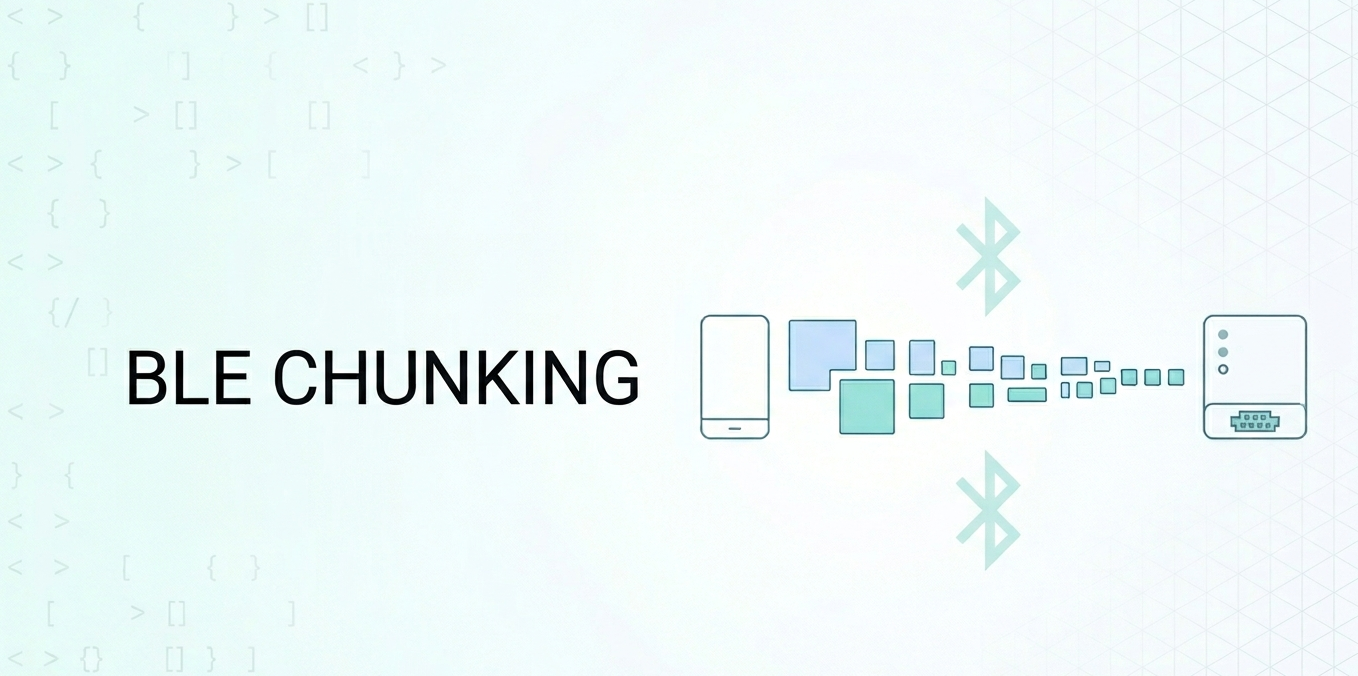
Kiểm tra peripheral.maximumWriteValueLength(for:) trước khi gửi và chia nhỏ data theo giá trị đó.
1
2
3
4
5
6
7
8
9
func send (data: Data, to peripheral: CBPeripheral, char: CBCharacteristic) let mtu = peripheral.maximumWriteValueLength(for : .withoutResponse) var offset = 0 while offset < data.count { let end = min (offset + mtu, data.count ) peripheral.writeValue(data[offset..<end], for : char, type: .withoutResponse) offset = end } }
BLE Background
Thêm bluetooth-central vào UIBackgroundModes.
Luôn dùng CBCentralManagerOptionRestoreIdentifierKey để iOS có thể re-launch app và khôi phục trạng thái sau khi app bị terminate trong background.
Implement centralManager(_:willRestoreState:) để kết nối lại với peripheral đã kết nối trước đó.
Giữ callback trong background ngắn gọn — tác vụ dài sẽ khiến app bị kill.
Riêng cho React Native
Luôn removeAllListeners cho BLE event khi component unmount để tránh memory leak.
1 2 3 4 useEffect(() => const sub = bleEmitter.addListener('onDataReceived' , handler); return () => }, []);
Riêng cho Flutter
Dùng broadcast stream (receiveBroadcastStream) để nhiều widget có thể cùng lắng nghe một event channel.
Luôn gọi stopScan() hoặc disconnect() trong dispose() để tránh trạng thái native bị treo.
1
2
3
4
5
@override void dispose() { ble.stopScan(); super .dispose(); }
Kết luận Thay vì phụ thuộc vào các thư viện BLE bên thứ ba che khuất CoreBluetooth, việc xây dựng một lớp Swift native mỏng và bridge nó ra mang lại:
Toàn quyền truy cập mọi tính năng của CoreBluetooth (state restoration, background mode, MTU control, v.v.)Nhất quán — cùng một logic BLE phục vụ cho iOS native, React Native và FlutterỔn định — không bị chặn bởi một package bên thứ ba không được maintain khi iOS ra phiên bản mới
Chi phí bridge rất nhỏ: một file .m và vài decorator @objc cho React Native, và setup MethodChannel + EventChannel cho Flutter. Đổi lại, bạn có một BLE layer hoàn toàn do mình kiểm soát và hiểu rõ.
Tham khảo [1] Apple CoreBluetooth Documentation React Native Native Modules (iOS) Flutter Platform Channels Best practice: iOS vs Android Bluetooth Best practice: How to deal with BLE in Background Series: React Native and BLE Part 1