Idioma

Best Practice: Bluetooth Low Energy en diferentes plataformas

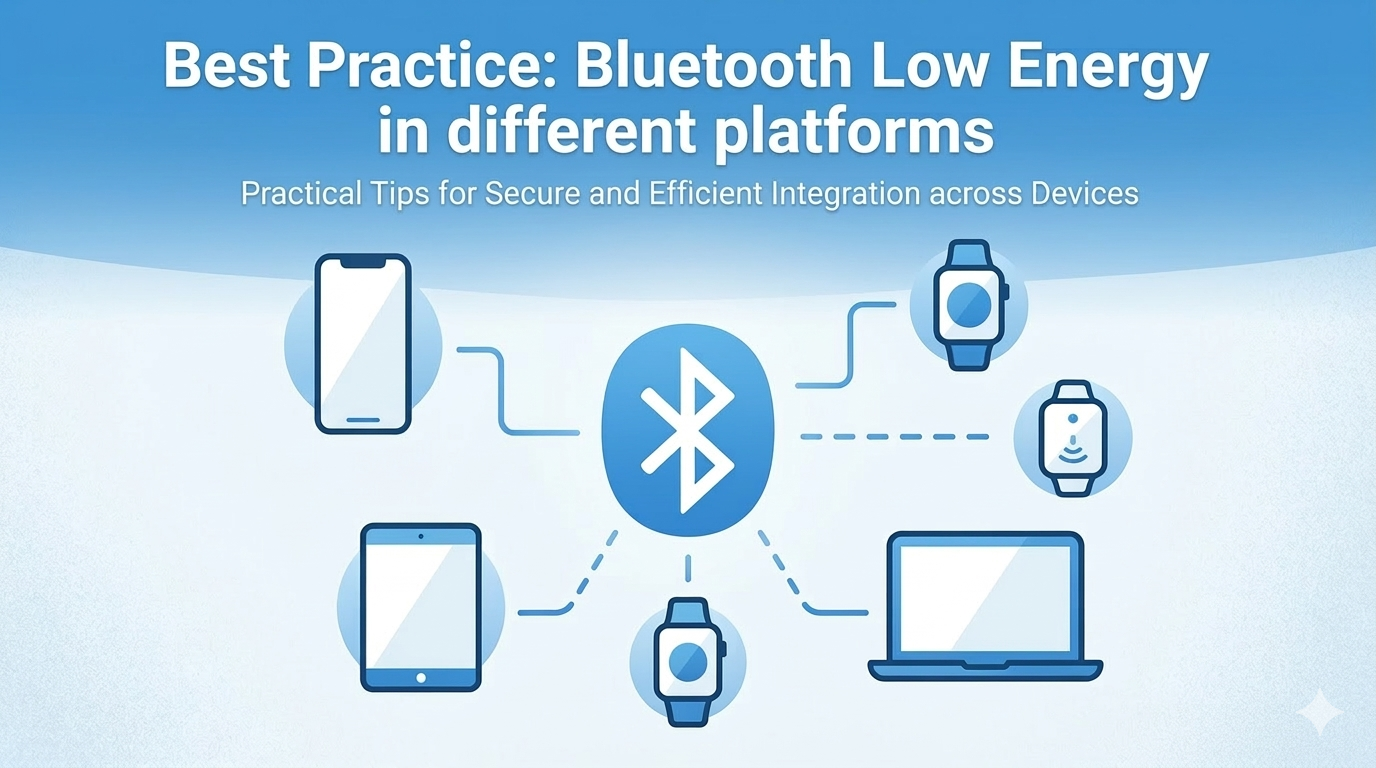
Bluetooth Low Energy (BLE) es una tecnología central en los rastreadores de actividad física, dispositivos de hogar inteligente, equipos médicos y muchos otros productos IoT. Al construir una aplicación BLE, a menudo te enfrentas a una elección: iOS nativo, Flutter o React Native.

En lugar de depender de bibliotecas BLE de terceros para Flutter o React Native, el enfoque que recomiendo — y que aplico en la práctica — es escribir toda la lógica BLE en Swift nativo usando CoreBluetooth, y luego exponerla a cada framework multiplataforma mediante su mecanismo de bridge nativo. En React Native, eso significa Native Modules. En Flutter, significa Platform Channels.

Esto te da control total sobre el stack BLE, comportamiento consistente en todos tus proyectos y cero dependencia de paquetes BLE externos que puedan quedar rezagados frente a las actualizaciones del SDK de iOS.

Este artículo se centra en el lado de iOS (CoreBluetooth). Para ver la comparación de BLE en Android e iOS, consulta Best practice: iOS vs Android Bluetooth.


La Arquitectura

La idea es simple: mantener CoreBluetooth como la única fuente de verdad para BLE, y tratar React Native / Flutter como la capa de UI que se comunica con ella.

1
2
3
4
5
6
7
8
┌──────────────────────────────┐
│ Flutter / React Native (UI) │
└────────────┬─────────────────┘
│ Platform Channel / Native Module
┌────────────▼─────────────────┐
│ Native BLE Layer (Swift) │
│ CoreBluetooth │
└──────────────────────────────┘

La capa nativa maneja el escaneo, la conexión, el descubrimiento de servicios y la lectura/escritura de características. La capa multiplataforma solo necesita llamar a un método o escuchar un stream de eventos.


1. La Capa BLE Nativa (CoreBluetooth)

Este código es compartido y reutilizado en todas las plataformas. Una clase BLEManager limpia encapsula toda la lógica de CoreBluetooth.

Configuración y Permisos

Agrega a Info.plist:

1
2
<key>NSBluetoothAlwaysUsageDescription</key>
<string>This app uses Bluetooth to connect to your device.</string>

Para el escaneo en background, agrega también a Info.plist y activa la capability en Xcode:

1
2
3
4
<key>UIBackgroundModes</key>
<array>
<string>bluetooth-central</string>
</array>

BLEManager

1
2
3
4
5
6
7
8
9
10
11
12
13
14
15
16
17
18
19
20
21
22
23
24
25
26
27
28
29
30
31
32
33
34
35
36
37
38
39
40
41
42
43
44
45
46
47
48
49
50
51
52
53
54
55
56
57
58
59
60
61
62
import CoreBluetooth

protocol BLEManagerDelegate: AnyObject {
func didUpdateState(_ state: CBManagerState)
func didDiscoverDevice(name: String, uuid: String, rssi: Int)
func didConnect(uuid: String)
func didDisconnect(uuid: String, error: Error?)
func didReceiveData(_ data: Data, characteristicUUID: String)
}

class BLEManager: NSObject {
static let shared = BLEManager()
weak var delegate: BLEManagerDelegate?

private var centralManager: CBCentralManager!
private var connectedPeripheral: CBPeripheral?
private var characteristics: [String: CBCharacteristic] = [:]

private override init() {
super.init()
centralManager = CBCentralManager(
delegate: self,
queue: nil,
options: [CBCentralManagerOptionRestoreIdentifierKey: "app.ble.central"]
)
}

func startScan(serviceUUIDs: [String]? = nil) {
guard centralManager.state == .poweredOn else { return }
let uuids = serviceUUIDs?.map { CBUUID(string: $0) }
centralManager.scanForPeripherals(
withServices: uuids,
options: [CBCentralManagerScanOptionAllowDuplicatesKey: false]
)
}

func stopScan() {
centralManager.stopScan()
}

func connect(uuid: String) {
guard let peripheral = retrievePeripheral(uuid: uuid) else { return }
centralManager.connect(peripheral, options: nil)
}

func disconnect() {
guard let peripheral = connectedPeripheral else { return }
centralManager.cancelPeripheralConnection(peripheral)
}

func write(data: Data, characteristicUUID: String, withResponse: Bool) {
guard let characteristic = characteristics[characteristicUUID.uppercased()],
let peripheral = connectedPeripheral else { return }
let type: CBCharacteristicWriteType = withResponse ? .withResponse : .withoutResponse
peripheral.writeValue(data, for: characteristic, type: type)
}

private func retrievePeripheral(uuid: String) -> CBPeripheral? {
let knownUUIDs = [UUID(uuidString: uuid)].compactMap { $0 }
return centralManager.retrievePeripherals(withIdentifiers: knownUUIDs).first
}
}

CBCentralManagerDelegate

1
2
3
4
5
6
7
8
9
10
11
12
13
14
15
16
17
18
19
20
21
22
23
24
25
26
27
28
29
30
31
32
33
34
35
36
37
38
39
40
41
extension BLEManager: CBCentralManagerDelegate {
func centralManagerDidUpdateState(_ central: CBCentralManager) {
delegate?.didUpdateState(central.state)
}

func centralManager(_ central: CBCentralManager,
didDiscover peripheral: CBPeripheral,
advertisementData: [String: Any],
rssi RSSI: NSNumber) {
delegate?.didDiscoverDevice(
name: peripheral.name ?? "Unknown",
uuid: peripheral.identifier.uuidString,
rssi: RSSI.intValue
)
}

func centralManager(_ central: CBCentralManager,
didConnect peripheral: CBPeripheral) {
connectedPeripheral = peripheral
peripheral.delegate = self
peripheral.discoverServices(nil)
delegate?.didConnect(uuid: peripheral.identifier.uuidString)
}

func centralManager(_ central: CBCentralManager,
didDisconnectPeripheral peripheral: CBPeripheral,
error: Error?) {
connectedPeripheral = nil
characteristics.removeAll()
delegate?.didDisconnect(uuid: peripheral.identifier.uuidString, error: error)
}

func centralManager(_ central: CBCentralManager,
willRestoreState dict: [String: Any]) {
if let peripherals = dict[CBCentralManagerRestoredStatePeripheralsKey]
as? [CBPeripheral] {
connectedPeripheral = peripherals.first
connectedPeripheral?.delegate = self
}
}
}

CBPeripheralDelegate

1
2
3
4
5
6
7
8
9
10
11
12
13
14
15
16
17
18
19
20
21
22
23
24
25
26
27
28
29
30
31
32
33
34
extension BLEManager: CBPeripheralDelegate {
func peripheral(_ peripheral: CBPeripheral,
didDiscoverServices error: Error?) {
guard let services = peripheral.services else { return }
for service in services {
peripheral.discoverCharacteristics(nil, for: service)
}
}

func peripheral(_ peripheral: CBPeripheral,
didDiscoverCharacteristicsFor service: CBService,
error: Error?) {
guard let chars = service.characteristics else { return }
for characteristic in chars {
characteristics[characteristic.uuid.uuidString.uppercased()] = characteristic
if characteristic.properties.contains(.notify)
|| characteristic.properties.contains(.indicate) {
peripheral.setNotifyValue(true, for: characteristic)
}
}
}

func peripheral(_ peripheral: CBPeripheral,
didUpdateValueFor characteristic: CBCharacteristic,
error: Error?) {
guard let data = characteristic.value else { return }
delegate?.didReceiveData(data, characteristicUUID: characteristic.uuid.uuidString)
}

// Payload grande: esperar este callback antes de enviar el siguiente chunk
func peripheralIsReady(toSendWriteWithoutResponse peripheral: CBPeripheral) {
// Reanudar escritura por chunks
}
}

Este BLEManager es la base. Ahora vamos a exponerlo a cada plataforma.


2. Bridge hacia React Native

React Native se comunica con código nativo a través de Native Modules. Se crea una clase Swift que:

  • Hereda de RCTEventEmitter para enviar eventos (resultados de escaneo, datos) a JavaScript.
  • Expone métodos mediante @objc y un archivo bridge Objective-C .m.

BLEModule.swift

1
2
3
4
5
6
7
8
9
10
11
12
13
14
15
16
17
18
19
20
21
22
23
24
25
26
27
28
29
30
31
32
33
34
35
36
37
38
39
40
41
42
43
44
45
46
47
48
49
50
51
52
53
54
55
56
57
58
59
60
61
62
63
64
65
66
67
68
import Foundation

@objc(BLEModule)
class BLEModule: RCTEventEmitter, BLEManagerDelegate {

override init() {
super.init()
BLEManager.shared.delegate = self
}

override static func requiresMainQueueSetup() -> Bool { true }

override func supportedEvents() -> [String]! {
return ["onStateChange", "onDeviceFound", "onConnect", "onDisconnect", "onDataReceived"]
}

// MARK: - Expuesto a JS

@objc func startScan(_ serviceUUIDs: [String]?) {
BLEManager.shared.startScan(serviceUUIDs: serviceUUIDs)
}

@objc func stopScan() {
BLEManager.shared.stopScan()
}

@objc func connect(_ uuid: String) {
BLEManager.shared.connect(uuid: uuid)
}

@objc func disconnect() {
BLEManager.shared.disconnect()
}

@objc func writeData(_ base64: String,
characteristicUUID: String,
withResponse: Bool) {
guard let data = Data(base64Encoded: base64) else { return }
BLEManager.shared.write(data: data,
characteristicUUID: characteristicUUID,
withResponse: withResponse)
}

// MARK: - BLEManagerDelegate → enviar eventos a JS

func didUpdateState(_ state: CBManagerState) {
sendEvent(withName: "onStateChange", body: ["state": state.rawValue])
}

func didDiscoverDevice(name: String, uuid: String, rssi: Int) {
sendEvent(withName: "onDeviceFound",
body: ["name": name, "uuid": uuid, "rssi": rssi])
}

func didConnect(uuid: String) {
sendEvent(withName: "onConnect", body: ["uuid": uuid])
}

func didDisconnect(uuid: String, error: Error?) {
sendEvent(withName: "onDisconnect",
body: ["uuid": uuid, "error": error?.localizedDescription as Any])
}

func didReceiveData(_ data: Data, characteristicUUID: String) {
sendEvent(withName: "onDataReceived",
body: ["uuid": characteristicUUID, "value": data.base64EncodedString()])
}
}

BLEModule.m (bridge Objective-C)

1
2
3
4
5
6
7
8
9
10
11
12
#import <React/RCTBridgeModule.h>
#import <React/RCTEventEmitter.h>

@interface RCT_EXTERN_MODULE(BLEModule, RCTEventEmitter)
RCT_EXTERN_METHOD(startScan:(NSArray *)serviceUUIDs)
RCT_EXTERN_METHOD(stopScan)
RCT_EXTERN_METHOD(connect:(NSString *)uuid)
RCT_EXTERN_METHOD(disconnect)
RCT_EXTERN_METHOD(writeData:(NSString *)base64
characteristicUUID:(NSString *)characteristicUUID
withResponse:(BOOL)withResponse)
@end

Uso en JavaScript / TypeScript

1
2
3
4
5
6
7
8
9
10
11
12
13
14
15
16
17
18
19
import { NativeModules, NativeEventEmitter } from 'react-native';

const { BLEModule } = NativeModules;
const bleEmitter = new NativeEventEmitter(BLEModule);

// Escuchar eventos
bleEmitter.addListener('onDeviceFound', (device) => {
console.log(`Found: ${device.name} (${device.uuid}) RSSI: ${device.rssi}`);
});

bleEmitter.addListener('onDataReceived', ({ uuid, value }) => {
const bytes = Uint8Array.from(atob(value), c => c.charCodeAt(0));
console.log('Received from', uuid, bytes);
});

// Llamar métodos nativos
BLEModule.startScan(['YOUR-SERVICE-UUID']);
BLEModule.connect('PERIPHERAL-UUID');
BLEModule.writeData(btoa(String.fromCharCode(0x01, 0x02)), 'CHAR-UUID', true);

3. Bridge hacia Flutter

Flutter se comunica con código nativo a través de Platform Channels. Hay dos tipos de canal relevantes para BLE:

  • MethodChannel: para invocar métodos nativos desde Dart (scan, connect, write).
  • EventChannel: para transmitir eventos nativos a Dart (resultados de escaneo, datos recibidos).

AppDelegate.swift — Registrar Canales

1
2
3
4
5
6
7
8
9
10
11
12
13
14
15
16
17
18
19
20
21
22
23
24
25
26
27
28
29
30
31
32
33
34
35
36
37
38
39
40
41
42
43
44
45
46
47
48
49
50
51
52
53
54
55
56
57
58
59
60
61
62
63
64
65
66
67
68
69
import Flutter

@main
class AppDelegate: FlutterAppDelegate {
private let methodChannelName = "app.ble/methods"
private let eventChannelName = "app.ble/events"

override func application(
_ application: UIApplication,
didFinishLaunchingWithOptions launchOptions: [UIApplication.LaunchOptionsKey: Any]?
) -> Bool {
let controller = window?.rootViewController as! FlutterViewController
let messenger = controller.binaryMessenger

// Method channel: Dart → Native
let methodChannel = FlutterMethodChannel(name: methodChannelName,
binaryMessenger: messenger)
methodChannel.setMethodCallHandler(handleMethodCall)

// Event channel: Native → Dart stream
let eventChannel = FlutterEventChannel(name: eventChannelName,
binaryMessenger: messenger)
eventChannel.setStreamHandler(BLEEventHandler.shared)

BLEManager.shared.delegate = BLEEventHandler.shared

return super.application(application, didFinishLaunchingWithOptions: launchOptions)
}

private func handleMethodCall(_ call: FlutterMethodCall,
result: @escaping FlutterResult) {
switch call.method {
case "startScan":
let args = call.arguments as? [String: Any]
let uuids = args?["serviceUUIDs"] as? [String]
BLEManager.shared.startScan(serviceUUIDs: uuids)
result(nil)

case "stopScan":
BLEManager.shared.stopScan()
result(nil)

case "connect":
if let uuid = (call.arguments as? [String: Any])?["uuid"] as? String {
BLEManager.shared.connect(uuid: uuid)
}
result(nil)

case "disconnect":
BLEManager.shared.disconnect()
result(nil)

case "writeData":
if let args = call.arguments as? [String: Any],
let base64 = args["value"] as? String,
let data = Data(base64Encoded: base64),
let charUUID = args["characteristicUUID"] as? String,
let withResponse = args["withResponse"] as? Bool {
BLEManager.shared.write(data: data,
characteristicUUID: charUUID,
withResponse: withResponse)
}
result(nil)

default:
result(FlutterMethodNotImplemented)
}
}
}

BLEEventHandler.swift — Stream Handler para EventChannel

1
2
3
4
5
6
7
8
9
10
11
12
13
14
15
16
17
18
19
20
21
22
23
24
25
26
27
28
29
30
31
32
33
34
35
36
37
38
39
40
41
42
43
44
45
46
import Flutter

class BLEEventHandler: NSObject, FlutterStreamHandler, BLEManagerDelegate {
static let shared = BLEEventHandler()
private var eventSink: FlutterEventSink?

func onListen(withArguments arguments: Any?,
eventSink: @escaping FlutterEventSink) -> FlutterError? {
self.eventSink = eventSink
return nil
}

func onCancel(withArguments arguments: Any?) -> FlutterError? {
eventSink = nil
return nil
}

private func send(_ event: [String: Any]) {
DispatchQueue.main.async { self.eventSink?(event) }
}

// MARK: - BLEManagerDelegate

func didUpdateState(_ state: CBManagerState) {
send(["type": "stateChange", "state": state.rawValue])
}

func didDiscoverDevice(name: String, uuid: String, rssi: Int) {
send(["type": "deviceFound", "name": name, "uuid": uuid, "rssi": rssi])
}

func didConnect(uuid: String) {
send(["type": "connect", "uuid": uuid])
}

func didDisconnect(uuid: String, error: Error?) {
send(["type": "disconnect", "uuid": uuid,
"error": error?.localizedDescription as Any])
}

func didReceiveData(_ data: Data, characteristicUUID: String) {
send(["type": "dataReceived",
"uuid": characteristicUUID,
"value": data.base64EncodedString()])
}
}

Uso en Dart

1
2
3
4
5
6
7
8
9
10
11
12
13
14
15
16
17
18
19
20
21
22
23
24
25
26
27
28
29
30
31
32
33
34
35
36
37
38
39
40
41
42
43
44
45
46
47
import 'dart:convert';
import 'package:flutter/services.dart';

class BLEService {
static const _methods = MethodChannel('app.ble/methods');
static const _events = EventChannel('app.ble/events');

Stream<Map<String, dynamic>> get eventStream =>
_events.receiveBroadcastStream().map((e) => Map<String, dynamic>.from(e));

Future<void> startScan({List<String>? serviceUUIDs}) =>
_methods.invokeMethod('startScan', {'serviceUUIDs': serviceUUIDs});

Future<void> stopScan() => _methods.invokeMethod('stopScan');

Future<void> connect(String uuid) =>
_methods.invokeMethod('connect', {'uuid': uuid});

Future<void> disconnect() => _methods.invokeMethod('disconnect');

Future<void> writeData(Uint8List bytes, String characteristicUUID,
{bool withResponse = true}) =>
_methods.invokeMethod('writeData', {
'value': base64.encode(bytes),
'characteristicUUID': characteristicUUID,
'withResponse': withResponse,
});
}

// Ejemplo de uso
final ble = BLEService();

ble.eventStream.listen((event) {
switch (event['type']) {
case 'deviceFound':
print('Found: ${event['name']} RSSI: ${event['rssi']}');
break;
case 'dataReceived':
final bytes = base64.decode(event['value']);
print('Data from ${event['uuid']}: $bytes');
break;
}
});

await ble.startScan(serviceUUIDs: ['YOUR-SERVICE-UUID']);
await ble.connect('PERIPHERAL-UUID');
await ble.writeData(Uint8List.fromList([0x01, 0x02]), 'CHAR-UUID');

4. Comparación de Plataformas

Aspecto iOS Nativo React Native Flutter
Mecanismo de bridge Native Module + RCTEventEmitter MethodChannel + EventChannel
Dirección de llamada JS → método @objc Dart → setMethodCallHandler
Dirección de eventos sendEvent(withName:body:) FlutterEventSink
Codificación de datos Data String Base64 String Base64 (vía Uint8List)
BLE en background Soporte completo Requiere background mode bluetooth-central + restore key Igual que iOS nativo — configurar en capa nativa
State restoration CBCentralManagerOptionRestoreIdentifierKey Igual — pasar al BLEManager Igual — manejado en la capa nativa
Boilerplate Bajo Medio (necesita archivo .m bridge) Medio (setup de canales en AppDelegate)
Ubicación de lógica BLE Swift Swift (bridged) Swift (bridged)

El punto clave: la lógica BLE es idéntica en las tres plataformas. Solo difiere la capa de bridge.


5. Buenas Prácticas

Generales

  • Siempre filtra por service UUID al escanear. Un escaneo sin filtro devuelve todos los dispositivos visibles y consume batería.
  • Detén el escaneo en cuanto encuentres tu dispositivo objetivo.
  • Mantén una strong reference a CBPeripheral. Si el objeto es deallocated, la conexión se pierde silenciosamente.
  • Cachea las características después del discovery. Nunca vuelvas a descubrirlas en cada lectura/escritura.
  • Prueba en hardware real — CoreBluetooth no funciona en el Simulador de iOS.

Escritura de Datos

  • Usa .withResponse para comandos que requieren confirmación (acknowledgment).
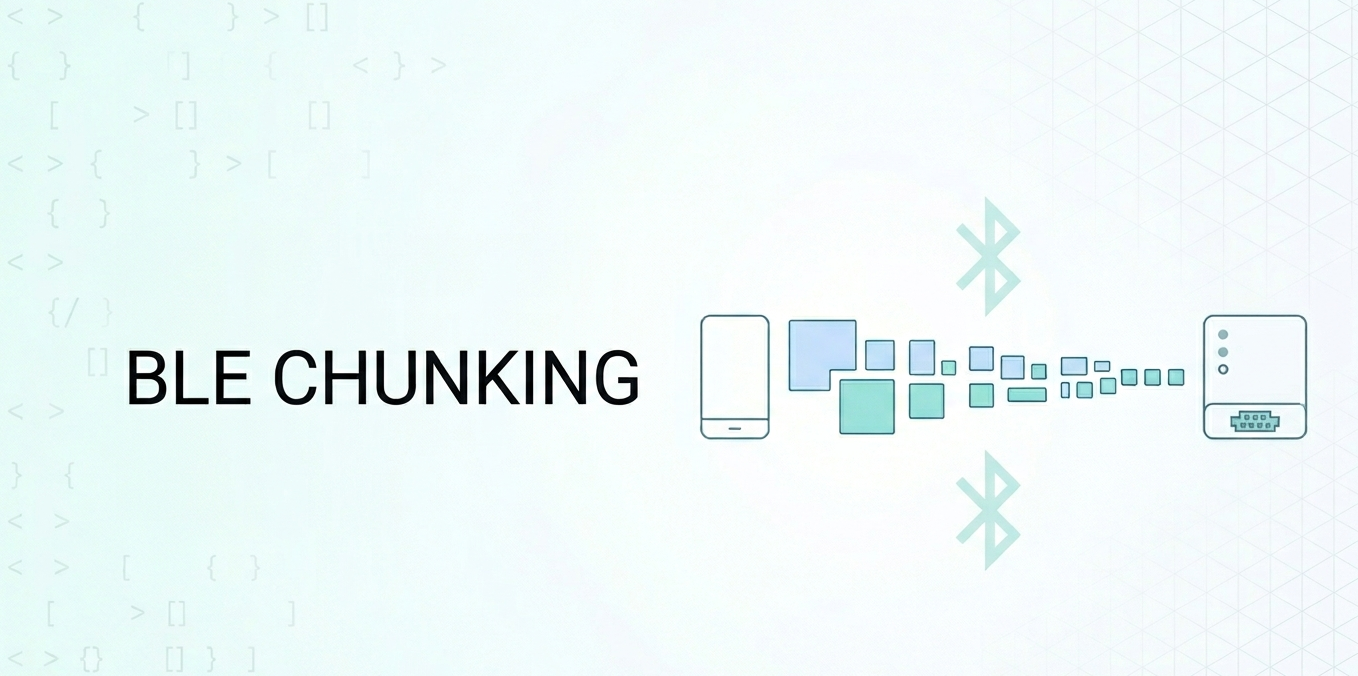
  • Usa .withoutResponse para escrituras de streaming/alto rendimiento, pero siempre espera peripheralIsReady(toSendWriteWithoutResponse:) antes del siguiente chunk.
  • Verifica peripheral.maximumWriteValueLength(for:) antes de enviar y divide los datos según ese valor.
1
2
3
4
5
6
7
8
9
func send(data: Data, to peripheral: CBPeripheral, char: CBCharacteristic) {
let mtu = peripheral.maximumWriteValueLength(for: .withoutResponse)
var offset = 0
while offset < data.count {
let end = min(offset + mtu, data.count)
peripheral.writeValue(data[offset..<end], for: char, type: .withoutResponse)
offset = end
}
}

BLE en Background

  • Agrega bluetooth-central a UIBackgroundModes.
  • Usa siempre CBCentralManagerOptionRestoreIdentifierKey para que iOS pueda re-lanzar la app y restaurar el estado tras ser terminada en background.
  • Implementa centralManager(_:willRestoreState:) para reconectarte al peripheral previamente conectado.
  • Mantén los callbacks en background breves — las tareas largas harán que el sistema mate tu app.

Específico para React Native

  • Siempre llama a removeAllListeners para los eventos BLE cuando el componente se desmonta, para evitar memory leaks.
1
2
3
4
useEffect(() => {
const sub = bleEmitter.addListener('onDataReceived', handler);
return () => sub.remove();
}, []);

Específico para Flutter

  • Usa broadcast stream (receiveBroadcastStream) para que múltiples widgets puedan escuchar el mismo event channel.
  • Llama siempre a stopScan() o disconnect() en dispose() para evitar estado nativo huérfano.
1
2
3
4
5
@override
void dispose() {
ble.stopScan();
super.dispose();
}

Conclusión

En lugar de depender de bibliotecas BLE de terceros que abstraen CoreBluetooth, construir una capa Swift nativa delgada y hacer bridge de ella te ofrece:

  • Acceso completo a todas las funcionalidades de CoreBluetooth (state restoration, background modes, control de MTU, etc.)
  • Consistencia — la misma lógica BLE sirve para tu app iOS nativa, React Native y Flutter
  • Estabilidad — no te bloqueas por un paquete de terceros sin mantenimiento cuando sale una nueva versión de iOS

El overhead del bridge es pequeño: un archivo .m y algunos decoradores @objc para React Native, y un setup de MethodChannel + EventChannel para Flutter. A cambio, obtienes una capa BLE que tú mismo controlas y entiendes completamente.

Referencias

[1] Apple CoreBluetooth Documentation
[2] React Native Native Modules (iOS)
[3] Flutter Platform Channels
[4] Best practice: iOS vs Android Bluetooth
[5] Best practice: How to deal with BLE in Background
[6] Series: React Native and BLE Part 1

Comentarios