Securing Bluetooth Communication: Implementing Authentication and Encryption Flows
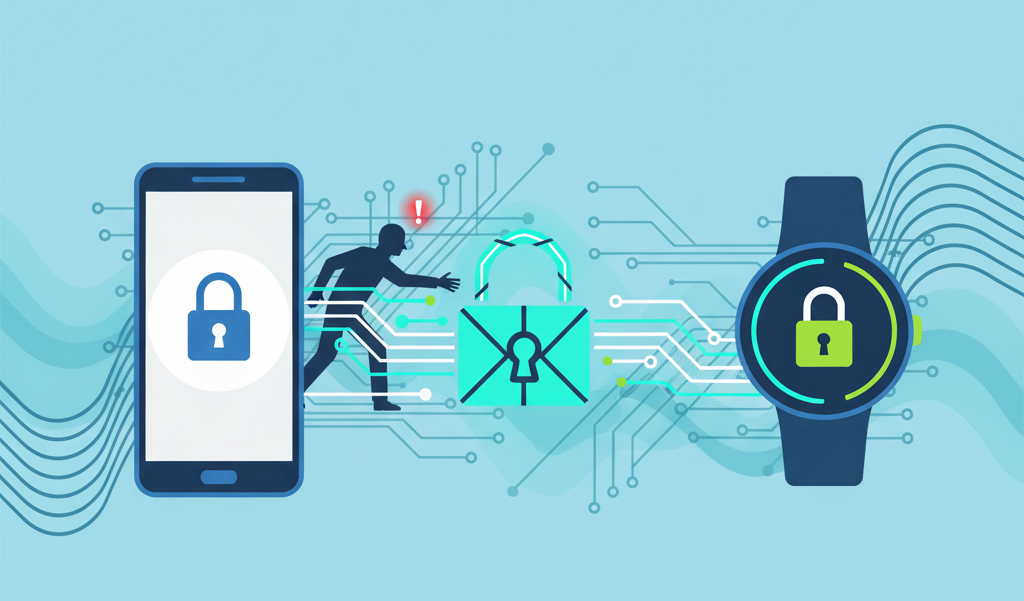
Bluetooth has become the invisible thread connecting our devices, from smartwatches and health trackers to smart locks and industrial IoT systems. But with convenience comes risk: Bluetooth communication is wireless and easily intercepted, making it vulnerable to eavesdropping, unauthorized access, and replay attacks.
To defend against these threats, authentication and encryption are essential. In this post, I’ll introduce a robust Bluetooth security flow, explaining how authentication, key exchange, and encrypted transfer work together. We’ll also compare it to TLS/https since both share similar approach of layered security.
Review: How HTTPS Works
Before diving deeper into Bluetooth authentication, it’s useful to understand how HTTPS (Hypertext Transfer Protocol Secure) protects communication on the web, since both share similar security principles.
When you visit a secure website (https://), your browser and the server perform a process called the TLS handshake to establish trust and encryption. This handshake happens in a few key steps:
- Client Hello – The browser sends a message to the server introducing itself, listing supported encryption methods and a random number (used later in key generation).
- Server Hello – The server responds with its own random number, selects an encryption method, and sends its SSL/TLS certificate — which includes its public key and is verified by a Certificate Authority (CA).
- Authentication – The browser verifies that the certificate is valid and trusted (not expired, revoked, or issued to another domain). This step ensures the website is legitimate.
- Key Exchange – Using the public key from the certificate (or through ECDHE — Elliptic Curve Diffie-Hellman Ephemeral), both sides securely generate a shared session key that only they can compute.
- Encrypted Communication – Once the session key is established, all data exchanged between the browser and the server is encrypted using symmetric encryption (typically AES or ChaCha20).
- Integrity & Authentication – Each message includes a cryptographic checksum (MAC or AEAD tag) to prevent tampering or replay attacks.
From that point forward, your connection is both encrypted (no one can read your data) and authenticated (you know you’re talking to the real server).
In short, HTTPS secures communication using:
- Certificates to establish identity.
- Key exchange to derive unique session keys.
- Symmetric encryption for performance and confidentiality.
- Integrity checks to detect any modifications.
A Secure Bluetooth Authentication Flow
Now let’s translate these concepts into a practical Bluetooth security flow. Unlike HTTPS, Bluetooth doesn’t have a built-in certificate authority infrastructure. Instead, we typically rely on Pre-Shared Keys (PSK) or out-of-band pairing mechanisms to establish initial trust.
Here’s a robust authentication and encryption flow for BLE communication:

Phase 1: Challenge-Response Authentication
Before any sensitive data is exchanged, both the mobile app (Central) and the BLE device (Peripheral) must prove they share a common secret — the PSK.
1 | ┌──────────────┐ ┌──────────────┐ |
How it works:
- Central generates a nonce (Nc) — a random number used only once — and sends it to the Peripheral.
- Peripheral generates its own nonce (Nd) and computes a response using HMAC-SHA256:
1
Response = HMAC-SHA256(PSK, Nc || Nd)
- Peripheral sends back (Nd, Response) to the Central.
- Central verifies by computing the same HMAC with the shared PSK. If it matches, the device is authenticated.
- Mutual authentication — The Central then sends its own response back so the Peripheral can verify the Central’s identity too.
This challenge-response mechanism ensures:
- No replay attacks — Each session uses fresh nonces.
- No PSK transmission — The secret never travels over the air.
- Mutual authentication — Both sides prove their identity.
Phase 2: Key Exchange with ECDH
Once authenticated, we need to establish a session key for encryption. We use Elliptic Curve Diffie-Hellman (ECDH) to derive a shared secret without transmitting it directly.
1 | // Generate ephemeral key pair on each side |
Why ECDH?
- Forward secrecy — Even if the PSK is compromised later, past sessions remain secure because each session uses ephemeral keys.
- No shared secret transmission — Only public keys are exchanged; the shared secret is computed independently.
- Efficient — ECC provides strong security with smaller key sizes, ideal for resource-constrained BLE devices.
Phase 3: Encrypted Data Transfer
With the session key established, all subsequent communication is encrypted using AES-GCM (Galois/Counter Mode):
1 | // Encrypting data before sending |
AES-GCM provides:
- Confidentiality — Data is encrypted and unreadable without the key.
- Integrity — The authentication tag detects any tampering.
- Authentication — Only parties with the session key can decrypt.
Sequence Counter: Preventing Replay Attacks
Even with encryption, an attacker could capture and replay encrypted packets. To prevent this, we include a sequence counter:
1 | struct SecureMessage { |
The sequence number is included in the authenticated data (AAD) of AES-GCM, so any modification is detected.
Comparison: HTTPS vs BLE Security Flow
| Aspect | HTTPS/TLS | BLE Security Flow |
|---|---|---|
| Trust Anchor | Certificate Authority (CA) | Pre-Shared Key (PSK) |
| Authentication | Certificate verification | Challenge-response with HMAC |
| Key Exchange | ECDHE or RSA | ECDH |
| Encryption | AES-GCM, ChaCha20-Poly1305 | AES-GCM |
| Forward Secrecy | Yes (with ECDHE) | Yes (ephemeral ECDH keys) |
| Replay Protection | Sequence numbers in TLS record | Sequence counter in payload |
Both approaches share the same fundamental principles:
- Authenticate first — Verify identity before trusting.
- Derive session keys — Never reuse keys across sessions.
- Encrypt everything — Protect data confidentiality.
- Verify integrity — Detect tampering.
Implementation Considerations
On the Mobile Side (iOS/Swift)
Apple’s CryptoKit framework provides all the primitives needed:
1 | import CryptoKit |
On the Device Side (Embedded)
For resource-constrained devices, libraries like mbed TLS or wolfSSL provide lightweight implementations:
1 | // Pseudo-code for embedded device |
Security Best Practices
Rotate PSKs periodically — Don’t rely on a single PSK forever. Implement a secure mechanism to update it.
Use secure random number generation — Weak randomness undermines the entire security model.
Implement timeout mechanisms — Abort authentication if it takes too long (potential DoS attack).
Validate all inputs — Check lengths, formats, and bounds before processing.
Handle errors securely — Don’t leak information through error messages or timing differences.
Consider BLE 4.2+ Secure Connections — The BLE specification includes LE Secure Connections with ECDH. Use it as an additional layer when available.
Practical Applications
This security flow is ideal for scenarios where data confidentiality and device authentication are critical:
Wearables — Smartwatches and fitness trackers transmitting health data that falls under privacy regulations (HIPAA, GDPR).
Smart Home Devices — Locks, garage door openers, and security cameras where unauthorized access could have physical consequences.
Medical Devices — Insulin pumps, pacemakers, and continuous glucose monitors where tampering could be life-threatening.
Industrial IoT — Sensors and controllers in manufacturing environments where data integrity affects operations and safety.
Payment Terminals — Mobile point-of-sale systems that must protect financial transactions.
Automotive — Key fobs, diagnostic tools, and in-vehicle infotainment systems connecting to phones.
Conclusion
Security in Bluetooth communication isn’t just about pairing once and trusting forever — it’s about continuous authentication, fresh keys, and encrypted transfers. By layering:
- PSK-based challenge-response authentication — Proves both parties share a secret.
- ECDH key exchange — Establishes forward-secret session keys.
- AES-GCM encryption — Protects confidentiality and integrity.
- Sequence counters — Prevents replay attacks.
We create a security flow that’s resilient to eavesdropping, impersonation, and replay attacks.
Just as HTTPS transformed web security by making encrypted communication the default, implementing robust Bluetooth security flows brings similar trust and resilience to the devices we rely on daily. The wireless convenience of Bluetooth doesn’t have to come at the cost of security — with the right architecture, we can have both.
The code examples in this post use Apple’s CryptoKit for iOS. Similar implementations are possible on Android using the Java Cryptography Architecture (JCA) or BouncyCastle, and on embedded devices using mbed TLS or wolfSSL.